OWL Sensor
Designing a sensor management app for electrical grid fault indicators — from discovery to handoff, solo, with no existing product team.
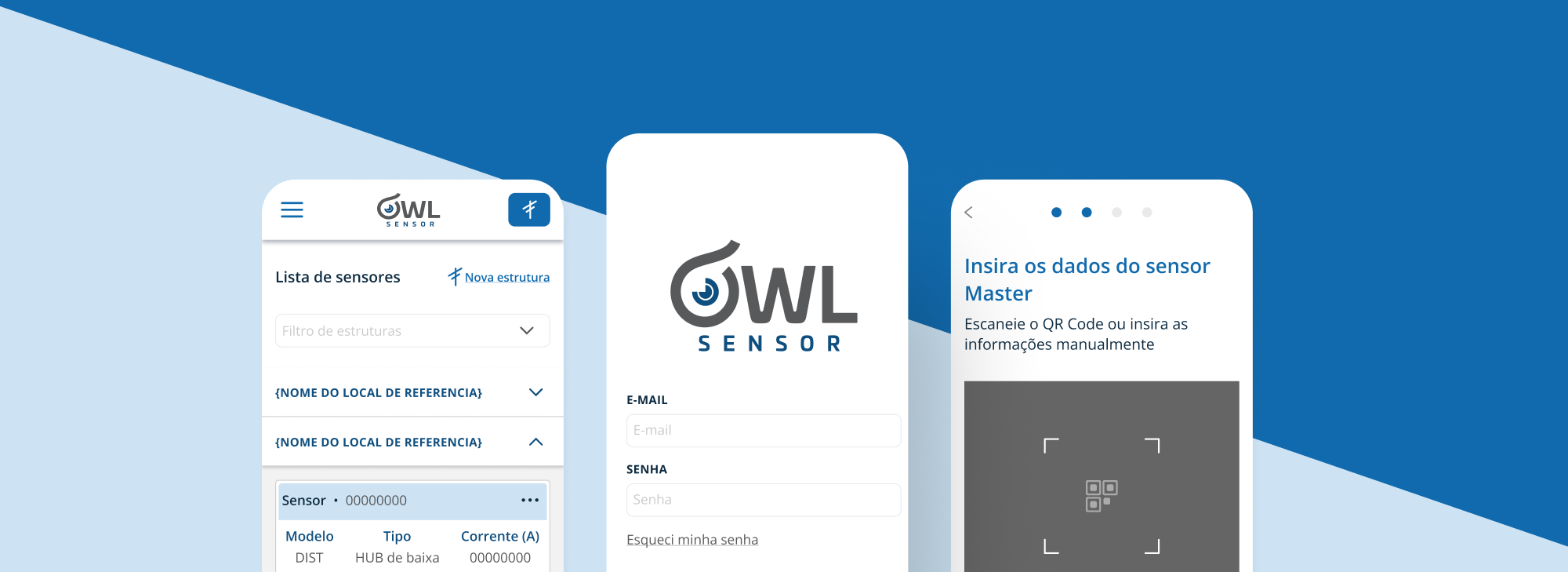
OWL Sensor is a hardware device — a current and voltage fault indicator sensor for medium and high voltage electrical grids. The client needed a mobile app to manage sensor installation, registration, and monitoring. An existing app was already in place, but it failed to meet users' needs and business goals.
Context
Freelance project, limited timeline, no product team structure
My role
Product Designer — sole designer across the entire project
Scope
Discovery, architecture & planning, solution design and handoff
An app that existed — but didn't work
The previous application didn't serve its users or meet the business objectives. The engineering team had no product culture or design process, and there would be no post-launch review cycle. Everything had to be right before shipping.
Freelance engagement with a tight deadline and no product team to rely on — I was the entire product function.
No design system existed. Had to build tokens and components from scratch while designing the product simultaneously.
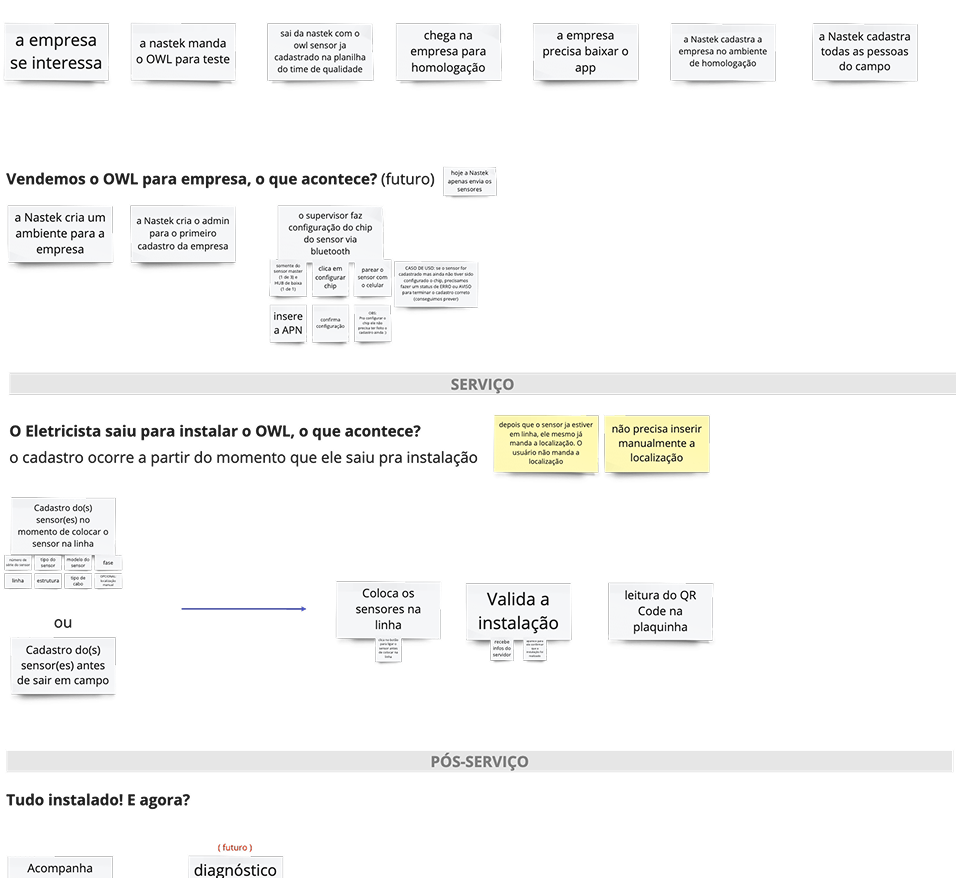
01 — Service phase mapping
Understanding the full service journey
To understand the flow between physical hardware and the digital product, I mapped actions and steps across pre-service, service, and post-service phases — giving the team a shared picture of when and how the app was used.
Key insight
The app is used in the field — outdoors, in sun or rain. It needs to be easy to handle, high contrast, and free of complex layers or very dark colors that could cause screen glare.
02 — Actor map
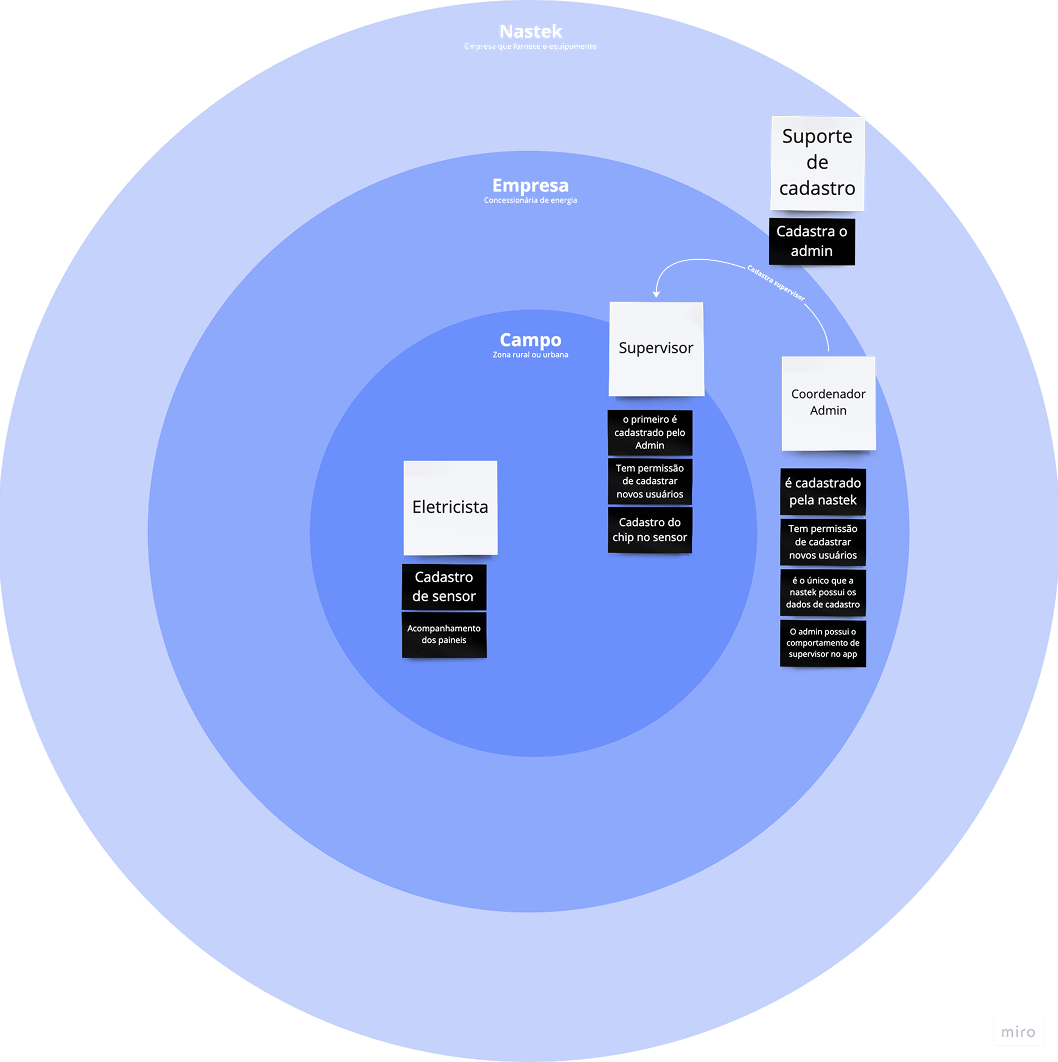
Three distinct users, three sets of needs
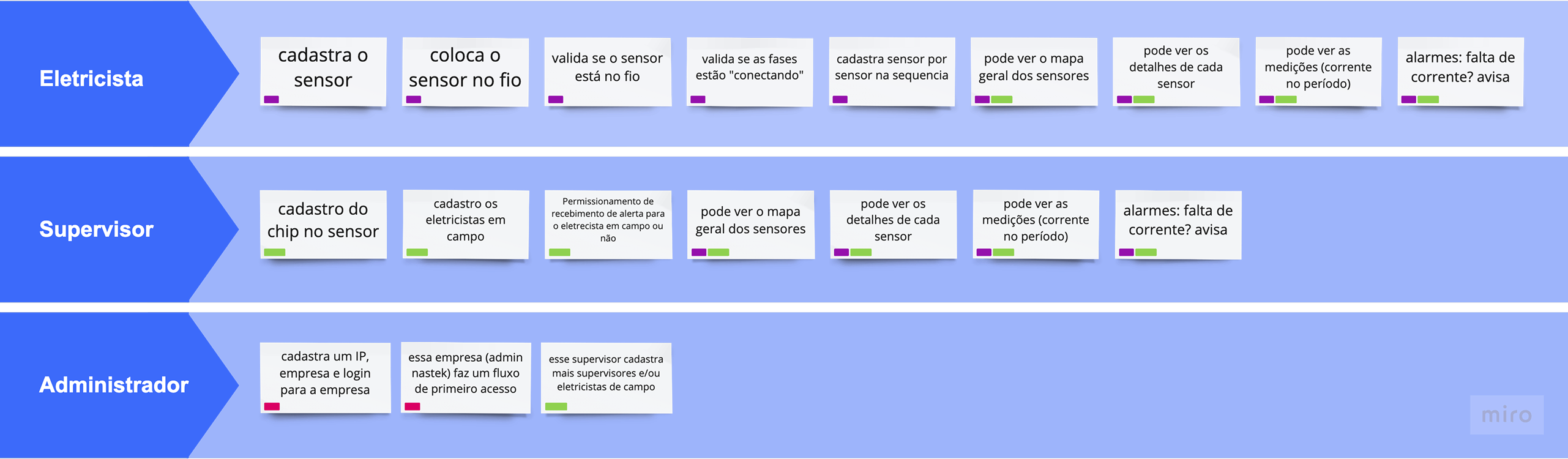
Through workshops with equipment users and stakeholders, I mapped the three actors in the system and their permissions:
- Eletricista — registers sensors on-site and monitors panels
- Supervisor — registers new users (supervisors or electricians) and configures sensor chips
- Administrador — registered by Nastek (hardware manufacturer), has full permissions and is the only role with access to Nastek support
03 — Journey map
Identifying common tasks and permissions
With all three actors mapped, I built a journey map to identify which tasks were shared across roles and which required specific permission scopes — the foundation for the app's navigation architecture.
01 — Flowchart
Mapping every path and permission gate
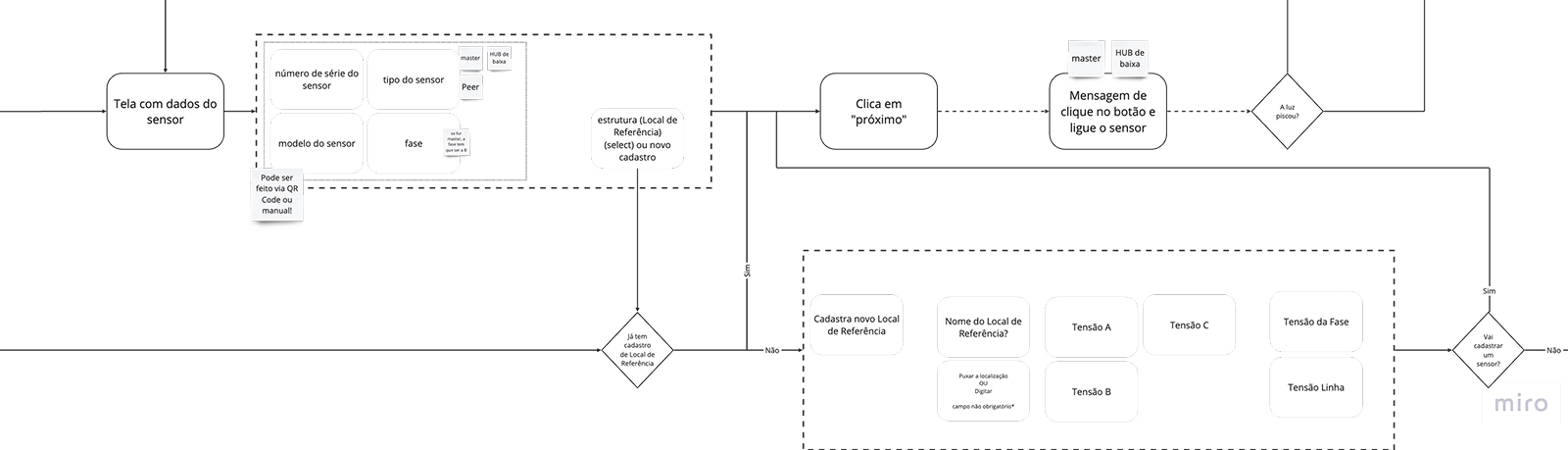
Translated the actor and journey maps into a detailed flowchart covering all user paths, permission gates, and branching logic — used directly with the engineering team to plan implementation.
02 — Information architecture (To Be)
One map to align design, engineering, and data
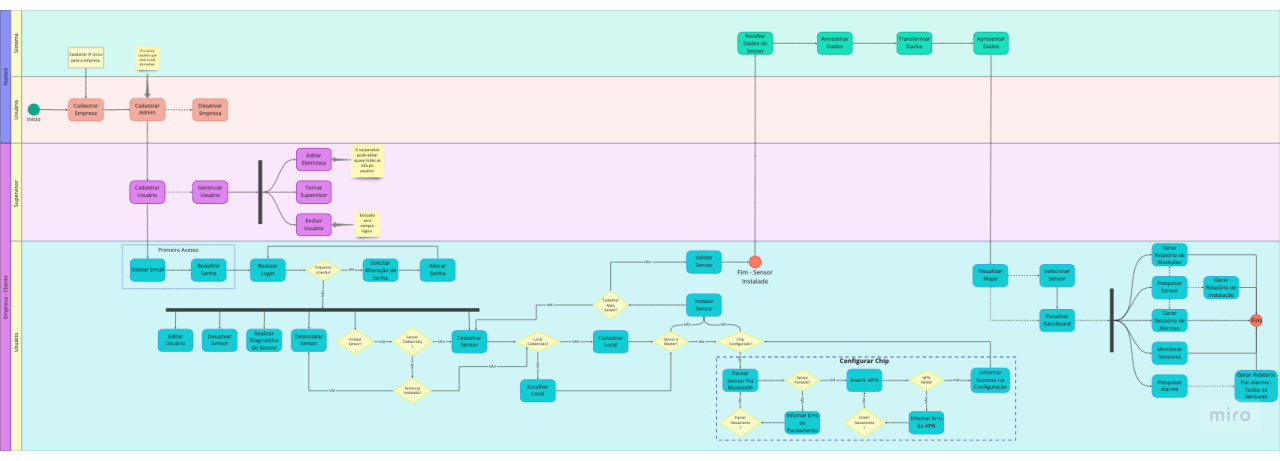
Built a To Be information architecture map divided by user lines — each line representing a distinct user belonging to a partner energy company. This made the integrations between app, web, and hardware clearer and easier to break into tasks, and served as a direct input for database modeling.
01 — Design tokens & style guide
Building the system before building the screens
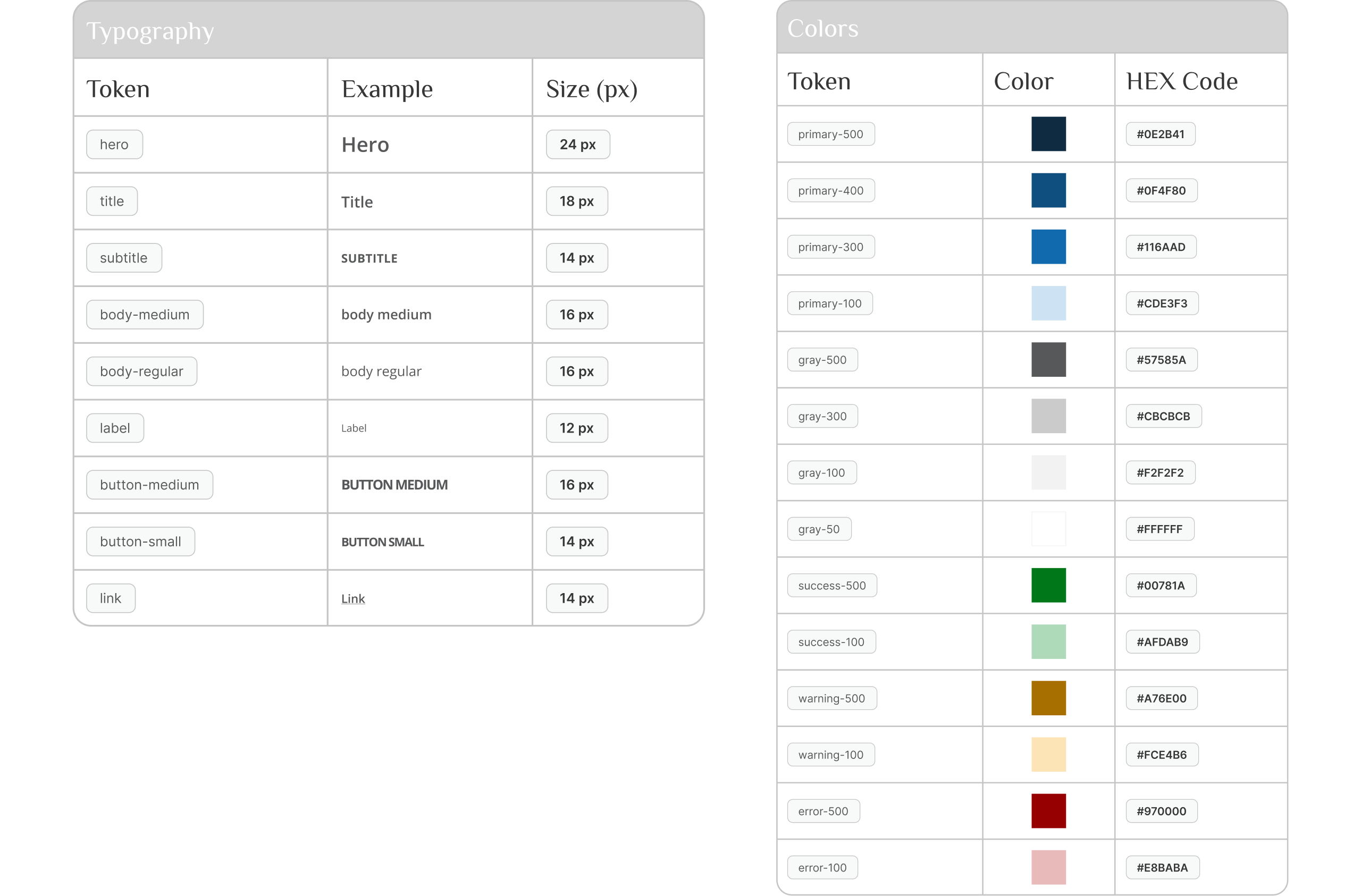
Since the engineering team had no design system, I built one from scratch using atomic design and design tokens — starting with color and typography to gain velocity and ensure brand customization per energy concession partner.
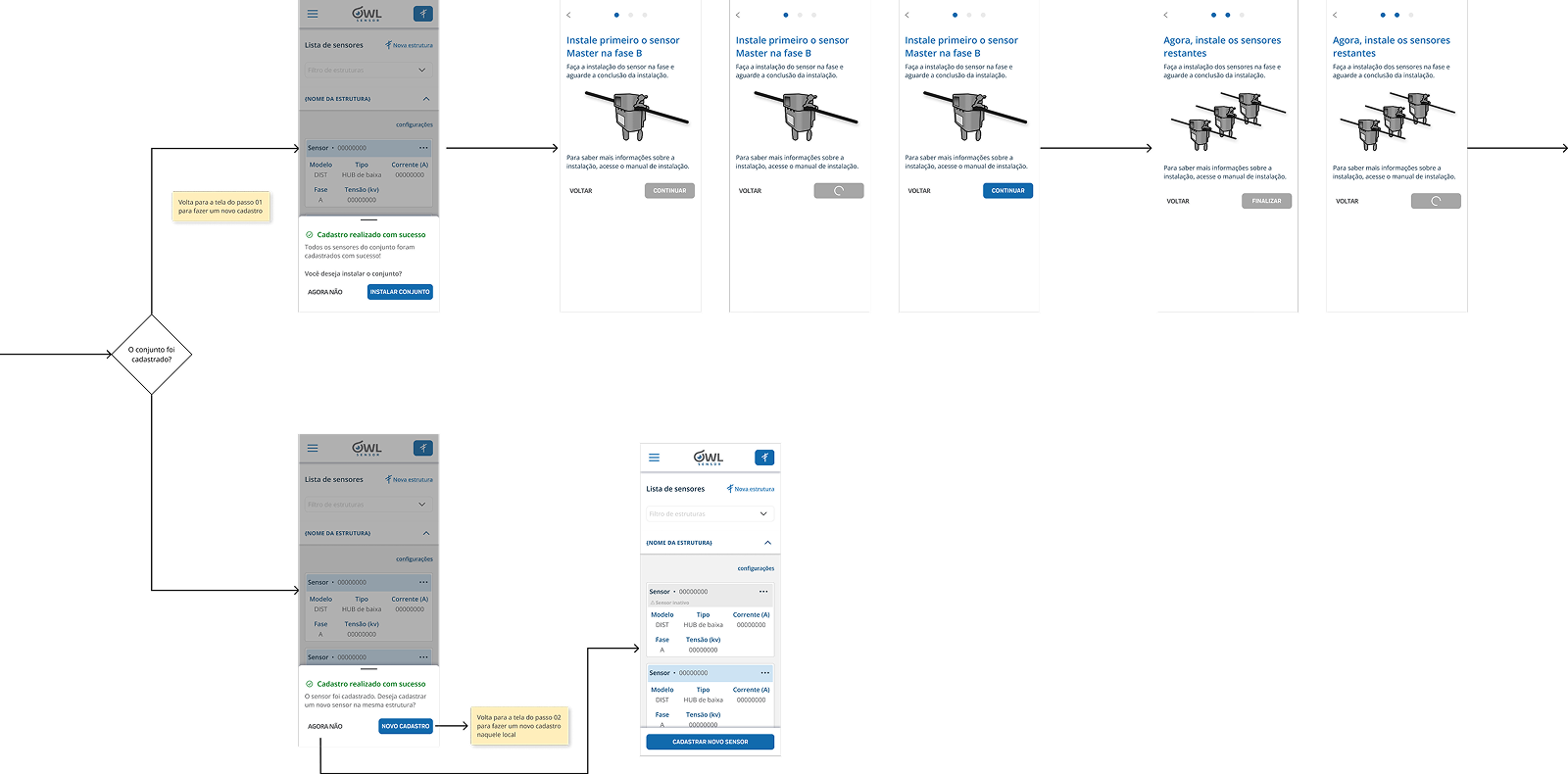
02 — IxFlow
Specs that engineers could actually use
Built an IxFlow — Interface Experience Flow — documenting interaction rules and business logic for each screen, based on use cases and rules from the flowchart. Covered all critical flows:
- Login
- Home dependencies
- Sensor set registration
- Sensor installation
- Structure registration
- Structure filter
- Sensor chip configuration
- User management menu